Affichage des articles dont le libellé est windows hacking. Afficher tous les articles

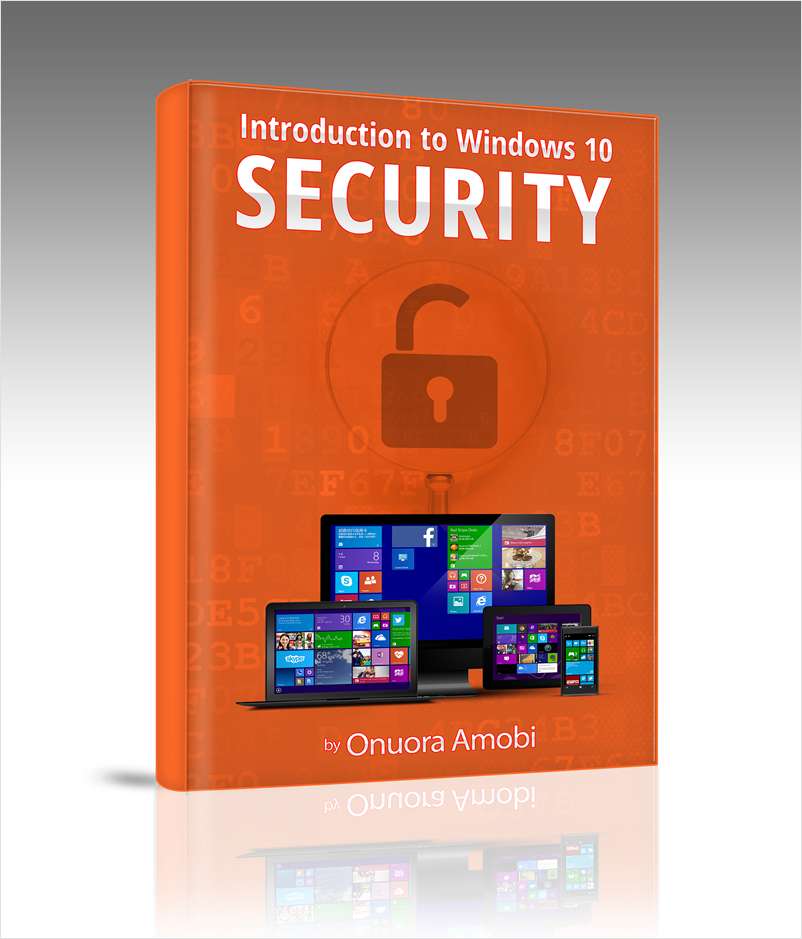
Introduction To Windows 10 Security (a $24.95 value) FREE eBook For A Limited Time


"Introduction to Windows 10 Security (a $24.95 value) FREE for a limited time"

An 87 page, fully updated guide to understanding security in Windows 10.

This book covers:

  • The current security landscape: Microsoft has taken a comprehensive top down approach to securing Windows 10 — you’ll learn why this is happening.
  • Securing Windows 10 for the consumer: This book is full of practical information about using the tools Microsoft provides to lock down your PC or mobile devices.
  • Securing the Enterprise: You’ll also learn what new tools Microsoft has provided for IT professionals to lock down employee hardware and software.


Download FREE

~ samedi 14 novembre 2015 0 commentaires

Volatility Framework Plugin For Extracting BitLocker FVEK (Full Volume Encryption Key)


Volatility Framework Plugin For Extracting BitLocker FVEK (Full Volume Encryption Key)

Volatility plugin: Bitlocker

This plugin finds and extracts BitLocker Full Volume Encryption Key (FVEK) which can be used to decrypt BitLocker volumes.

Currently only Windows Vista/7 memory images are supported.

Example use case

Evidence #1: John's computer HDD binary image: John_HDD.dd

Evidence #2: John's computer memory dump: John_Win7SP1x64.raw

1) Determine the offset of encrypted BitLocker volume. In the following example it's the second NTFS partition starting from sector 718848. Note the "-FVE-FS-" signature.

$ mmls John_HDD.dd
DOS Partition Table
Offset Sector: 0
Units are in 512-byte sectors

     Slot    Start        End          Length       Description
00:  Meta    0000000000   0000000000   0000000001   Primary Table (#0)
01:  -----   0000000000   0000002047   0000002048   Unallocated
02:  00:00   0000002048   0000718847   0000716800   NTFS (0x07)
03:  00:01   0000718848   0031455231   0030736384   NTFS (0x07)
04:  -----   0031455232   0031457279   0000002048   Unallocated
$
$ hexdump -C -s $((718848*512)) -n 16 John_HDD.dd
15f00000  eb 58 90 2d 46 56 45 2d  46 53 2d 00 02 08 00 00  |.X.-FVE-FS-.....|
15f00010

2) Use bitlocker plugin to extract FVEK. It's convenient to use optional argument --dump-dir in order to specify the directory in which cipher ID (first 2 bytes) and FVEK (64 bytes) will be saved.

$ export VOLATILITY_LOCATION=file://./John_Win7SP1x64.raw
$ export VOLATILITY_PROFILE=Win7SP1x64
$
$ python vol.py bitlocker --dump-dir ./keys
Volatility Foundation Volatility Framework 2.5

Cipher: AES-128 + Elephant diffuser (0x8000)
FVEK: 2140c8afcbb835127b3b5b97fdcc8b846b7d97fba0c5a2e9dbfef97e263272fa4543af87702c4cee4252eaaa0b7fdc2a96c54aace6e90642a4bbece8afc430c2
FVEK dumped to: ./keys/0xfa80018fe8c0.fvek

3) Use extracted FVEK to decrypt the volume using dislocker in FUSE mode.

$ sudo dislocker-fuse -V John_HDD.dd -k ./keys/0xfa80018fe8c0.fvek -o $((718848*512)) -- /mnt/ntfs
$
$ sudo mount -o loop,ro /mnt/ntfs/dislocker-file /mnt/clear
$
$ ls -lh /mnt/clear
total 730M
lrwxrwxrwx 2 root root   60 Jul 14  2009 Documents and Settings -> /mnt/clear/Users
-rwxrwxrwx 1 root root 730M Nov  4 09:39 pagefile.sys
drwxrwxrwx 1 root root    0 Jul 13  2009 PerfLogs
drwxrwxrwx 1 root root 4.0K Nov  4 09:58 ProgramData
drwxrwxrwx 1 root root 4.0K Apr 12  2011 Program Files
drwxrwxrwx 1 root root 4.0K Nov  4 07:01 Program Files (x86)
drwxrwxrwx 1 root root    0 Nov  4 07:04 Recovery
drwxrwxrwx 1 root root    0 Nov  4 09:57 $Recycle.Bin
drwxrwxrwx 1 root root 4.0K Nov  4 07:05 System Volume Information
drwxrwxrwx 1 root root 4.0K Nov  4 09:56 Users
drwxrwxrwx 1 root root  24K Nov  4 09:58 Windows


~ samedi 7 novembre 2015 0 commentaires

KdExploitMe: A Kernel Driver To Practice Writing Exploits


KdExploitMe: A kernel driver to practice writing exploits against, as well as some example exploits using public techniques.

The intent of this driver is to educate security testers on how memory corruption issues in Windows kernel drivers can be exploited. 

Knowing how to exploit security issues allows security testers to prove that bugs are exploitable which can be used to convince developers to fix bugs. While these techniques can be used for evil, this driver in the hopes that you will use this knowledge for good.

Download

~ jeudi 6 août 2015 0 commentaires

Microsoft Announced To Increase the Bug Bounty Rewards Upto $100,000


Microsoft Announced To Increase the Bug bounty Rewards Up-to $100,000.

Good news for Bug Hunters!

On Wednesday, Microsoft Announced To Increase the Bug bounty Rewards at BlackHat USA conference 2015. Microsoft also running a contest at Black Hat in Las Vegas, 5-6 August 2015.


Raising the Bounty for Defense from $50,000 USD to $100,000 USD
  • Brings defense up on par with offense
  • Rewards the novel defender equally for their research
This continued evolution includes a new approach to the Online Services Bug Bounty Program:

Authentication vulnerabilities will receive double bounty payouts
  • Microsoft Account (MSA) and Azure Active Directory (AAD) vulnerabilities
  • Bonus period will run from August 5, 2015 - October 5, 2015
  • All payouts during this period will receive twice the normal payout (that means we will pay $30,000 USD for a great Authentication vulnerability!)
MSA contest at Black Hat
  • Come show us your 1337 skills and win an Xbox One, Surface 3, or one year of full MSDN access.
  • Come visit us at the Microsoft Networking Lounge, August 5-6, in Mandalay Bay to review full rules and to participate.
RemoteApp
  • RemoteApp lets users run Windows apps hosted in Azure anywhere, and on a variety of devices.
  • RemoteApp is being added as a new property of the Online Services Bug Bounty Program and all of the regular terms and payout rules apply.

Few days ago Microsoft Fixed Windows 10 Bugs After Official Released


Source: Microsoft 

~ 0 commentaires

Inveigh: A Windows PowerShell LLMNR/NBNS Spoofer With Challenge/Response Capture Over HTTP/SMB


Inveigh: A Windows PowerShell LLMNR/NBNS Spoofer With Challenge/Response Capture Over HTTP/SMB.

Inveigh is a Windows PowerShell LLMNR/NBNS spoofer designed to assist penetration testers that find themselves limited to a Windows system.

This can commonly occur while performing phishing attacks, USB drive attacks, VLAN pivoting, or simply being restricted to a Windows system as part of client imposed restrictions.

Notes

  1. Currently supports IPv4 LLMNR/NBNS spoofing and HTTP/SMB NTLMv1/NTLMv2 challenge/response capture.
  2. LLMNR/NBNS spoofing is performed through sniffing and sending with raw sockets.
  3. SMB challenge/response captures are performed by sniffing over the host system's SMB service.
  4. HTTP challenge/response captures are performed with a dedicated listener.
  5. The local LLMNR/NBNS services do not need to be disabled on the host system.
  6. LLMNR/NBNS spoofer will point victims to host system's SMB service, keep account lockout scenarios in mind.
  7. Kerberos should downgrade for SMB authentication due to spoofed hostnames not being valid in DNS.
  8. Ensure that the LMMNR,NBNS,SMB,HTTP ports are open within any local firewall on the host system.
  9. Output files will be created in current working directory.
  10. If you copy/paste challenge/response captures from output window for password cracking, remove carriage returns.


Usage
Obtain an elevated administrator or SYSTEM shell. If necessary, use a method to bypass script execution policy.

To execute with default settings:
Inveigh.ps1 -i localip

To execute with features enabled/disabled:
Inveigh.ps1 -i localip -LLMNR Y/N -NBNS Y/N -HTTP Y/N -HTTPS Y/N -SMB Y/N -Repeat Y/N -ForceWPADAuth Y/N


Download


~ jeudi 30 juillet 2015 0 commentaires

Blackbone Windows Memory Hacking Library


Blackbone: Windows Memory Hacking Library

Features

  • x86 and x64 support

Process interaction

  • Manage PEB32/PEB64
  • Manage process through WOW64 barrier

Process Memory

  • Allocate and free virtual memory
  • Change memory protection
  • Read/Write virtual memory

Process modules

  • Enumerate all (32/64 bit) modules loaded. Enumerate modules using Loader list/Section objects/PE headers methods.
  • Get exported function address
  • Get the main module
  • Unlink module from loader lists
  • Inject and eject modules (including pure IL images)
  • Inject 64bit modules into WOW64 processes
  • Manually map native PE images

Threads

  • Enumerate threads
  • Create and terminate threads. Support for cross-session thread creation.
  • Get thread exit code
  • Get main thread
  • Manage TEB32/TEB64
  • Join threads
  • Suspend and resume threads
  • Set/Remove hardware breakpoints

Pattern search

  • Search for arbitrary pattern in local or remote process

Remote code execution

  • Execute functions in remote process
  • Assemble own code and execute it remotely
  • Support for cdecl/stdcall/thiscall/fastcall conventions
  • Support for arguments passed by value, pointer or reference, including structures
  • FPU types are supported
  • Execute code in new thread or any existing one

Remote hooking
  • Hook functions in remote process using int3 or hardware breakpoints
  • Hook functions upon return


Manual map features


  • x86 and x64 image support
  • Mapping into any arbitrary unprotected process
  • Section mapping with proper memory protection flags
  • Image relocations (only 2 types supported. I haven't seen a single PE image with some other relocation types)
  • Imports and Delayed imports are resolved
  • Bound import is resolved as a side effect, I think
  • Module exports
  • Loading of forwarded export images
  • Api schema name redirection
  • SxS redirection and isolation
  • Activation context support
  • Dll path resolving similar to native load order
  • TLS callbacks. Only for one thread and only with PROCESS_ATTACH/PROCESS_DETACH reasons.
  • Static TLS
  • Exception handling support (SEH and C++)
  • Adding module to some native loader structures(for basic module api support: GetModuleHandle, GetProcAdress, etc.)
  • Security cookie initialization
  • C++/CLI images are supported
  • Image unloading
  • Increase reference counter for import libraries in case of manual import mapping
  • Cyclic dependencies are handled properly

Driver features

  • Allocate/free/protect user memory
  • Read/write user and kernel memory
  • Disable permanent DEP for WOW64 processes
  • Change process protection flag
  • Change handle access rights
  • Remap process memory
  • Hiding allocated user-mode memory
  • User-mode dll injection and manual mapping
  • Manual mapping of drivers

License

Blackbone is licensed under the MIT License. Dependencies are under their respective licenses.


Download

~ lundi 29 juin 2015 0 commentaires

DAWS - Advanced Web Shell For Windows And Linux


DAWS - Advanced Web Shell For Windows And Linux

There's multiple things that makes DAws better than every Web Shell out there:
  1. Supports CGI by dropping Bash Shells (for Linux) and Batch Shells (for Windows).
  2. Bypasses WAFs, Disablers and Protection Systems; DAws isn't just about using a particular function to get the job done, it uses up to 6 functions if needed, for example, if shell_exec was disabled it would automatically use exec or passthru or system or popen or proc_open instead, same for Downloading a File from a Link, if Curl was disabled then file_get_content is used instead and this Feature is widely used in every section and fucntion of the shell. (Yes, it bypasses Suhosin too)
  3. Automatic Encoding; DAws randomly and automatically encodes most of your GET and POST data using XOR(Randomized key for every session) + Base64(We created our own Base64 encoding functions instead of using the PHP ones to bypass Disablers) which will allow your shell to Bypass pretty much every WAF out there.
  4. Advanced File Manager; DAws's File Manager contains everything a File Manager needs and even more but the main Feature is that everything is dynamically printed; the permissions of every File and Folder are checked, now, the functions that can be used will be available based on these permissions, this will save time and make life much easier.
  5. Tools: DAws holds bunch of useful tools such as "bpscan" which can identify useable and unblocked ports on the server within few minutes which can later on allow you to go for a bind shell for example.
  6. Everything that can't be used at all will be simply removed so Users do not have to waste their time. We're for example mentioning the execution of c++ scripts when there's no c++ compilers on the server(DAws would have checked for multiple compilers in the first place) in this case, the function would be automatically removed and the User would know.
  7. Supports Windows and Linux.
  8. Opened Source.
Extra Info
  • Directory Romaing:
    • DAws checks, within the `web` directory, for a Writable and Readable Directory which will then be used to Drop and Execute needed scripts which will guarantee their success.
  • Eval Form:
    • `include`, `include_once`, `require` or `require_once` are being used instead PHP `eval` to bypass Protection Systems.
  • Download from Link - Methods:
    • PHP Curl
    • File_put_content
  • Zip - Methods:
    • Linux:
      • Zip
    • Windows:
      • Vbs Script
  • Shells and Tools:
    • Extra:
      • `nohup`, if installed, is automatically used for background processing.

~ mardi 24 février 2015 0 commentaires

Hacker uses Evernote account as Command-and-Control Server


~ vendredi 29 mars 2013 0 commentaires